Why does PS Portal finally feel smooth after Firmware 7.0.0? We decode the HEVC upgrade, buffer-bloat fix, and the 5GHz vs 6GHz difference nobody’s talking about.
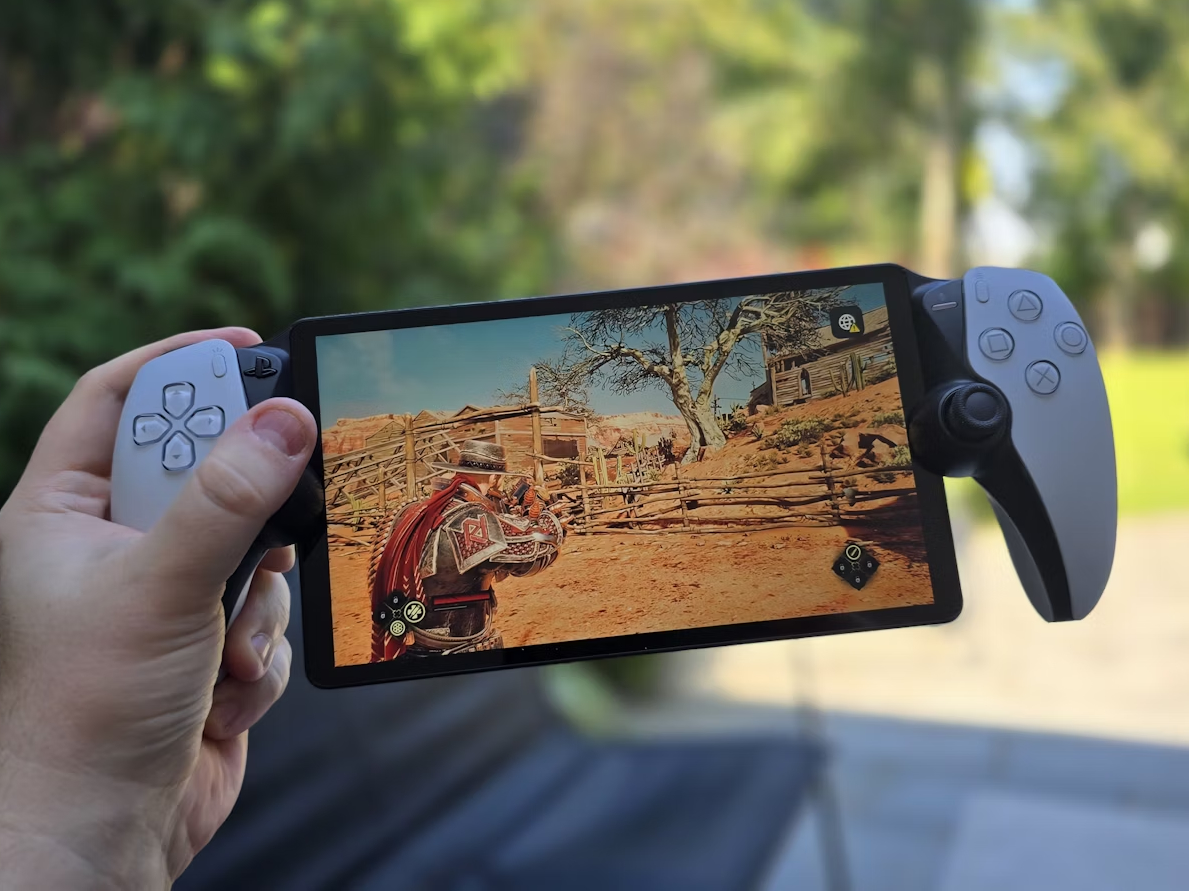
For a device that launched to genuinely mixed reviews, the PlayStation Portal has had a quietly impressive second act. Each firmware update has chipped away at the compromises that defined its early months — soft image quality, occasional stutter, the nagging sense that you were watching your PS5 through frosted glass. But PlayStation Portal firmware 7.0.0, released in March 2026, feels different. It doesn’t just improve the Portal. It reframes what the device is actually capable of.
The headline feature is a dedicated PS Portal 1080p high-quality mode. And while that sounds like a simple resolution bump, the engineering underneath it touches compression architecture, network physics, and latency management in ways that are worth understanding properly — especially if you’ve ever blamed your router for problems that were actually happening inside the codec.
Why the Original Stream Always Looked “Off”
To appreciate what’s changed with PlayStation Portal update 2026, you need to understand why the Portal’s image quality felt underwhelming even on fast home networks. The answer isn’t bandwidth. Most people streaming at home have more than enough of it. The real culprit was the H.264 encoding pipeline that underpinned the original firmware.
H.264 is a mature, widely compatible codec. It’s also relatively hungry. Maintaining clean 1080p detail — particularly in scenes with fast motion, particle effects, or dense geometry — demands a high bitrate that the original Portal firmware simply didn’t allocate generously. The result was compression artifacting: those faint blocky patterns around fast-moving characters, the loss of fine texture in dark areas, the slight smearing that made foliage or cloth look painted rather than rendered.
The Portal wasn’t broken. It was just working within constraints that Firmware 7.0.0 has now meaningfully relaxed.
The HEVC Shift: More Picture, Less Data
The centrepiece of the 7.0.0 update is a transition to HEVC — H.265 — as the encoding backbone for the new High Quality mode. If you’re unfamiliar with the difference between H.264 and H.265, the simplest way to think about it is this: H.265 delivers roughly the same visual quality at around half the data cost, or noticeably better quality at the same data cost.
The reason comes down to how each codec breaks an image apart for transmission. H.264 divides frames into fixed 16×16 pixel macroblocks. H.265 uses a far more flexible structure called Coding Tree Units, which can scale from 8×8 all the way up to 64×64 pixels depending on what’s happening in that region of the image. A flat blue sky gets a large, efficient block. A character’s face, with its fine gradients and detail, gets smaller, more precise units. The codec is making thousands of micro-decisions per frame about where detail actually matters.
For the Portal specifically, this has a direct impact on the scenes that previously looked worst. High-frequency detail — the kind found in foliage, fabric weave, fine UI text, or rain effects — no longer needs to be smeared or averaged away to meet a bitrate ceiling. The codec holds onto it more efficiently, and your eyes get to keep it.
There’s also an improvement in how H.265 handles inter-frame prediction. Rather than simply looking at the previous frame to predict what’s changed, the updated encoder in Firmware 7.0.0 uses a more sophisticated motion estimation pass that better anticipates movement trajectories. In fast-paced games, this is the difference between clean motion and the trailing ghosting that used to appear behind quickly moving objects.
Frame-Pacing and the Physics of Jitter
Bitrate improvements are only half the story. The other half is about time — specifically, the consistency of when each frame arrives at the Portal’s screen.
Frame-pacing refers to how evenly spaced frames are as they’re delivered and displayed. In an ideal world, a 60fps stream delivers one frame every 16.67 milliseconds, precisely and without variation. In the real world, network conditions introduce jitter — small, irregular delays that cause frames to arrive slightly early or late. When a frame arrives late, your display either holds the previous frame longer than it should, or skips ahead, and both outcomes produce a visible stutter that feels worse than a simple frame rate drop.
The Portal’s original firmware managed jitter through a fixed playback buffer — essentially a small reservoir of pre-received frames that absorbs network irregularities. The problem with a fixed buffer is the tradeoff it forces. Make it too small and jitter breaks through, causing stutter. Make it too large and you’ve added latency, making the device feel sluggish to inputs.
Firmware 7.0.0 introduces what Sony is calling adaptive buffer management. Rather than holding a static number of frames in reserve, the buffer size now adjusts dynamically based on real-time measurements of your network’s jitter profile. On a stable, low-jitter connection, the buffer shrinks to prioritise responsiveness. On a connection showing irregular packet timing, it expands just enough to smooth the delivery without accumulating noticeable lag. The result is a system that’s trying to stay under 15ms of end-to-end latency while protecting frame consistency — and on well-configured networks, it largely succeeds.
5GHz vs. 6GHz: Why the Band You’re On Changes Everything
The buffer management system in 7.0.0 is clever, but it’s working with what your network gives it. And the single biggest variable in that equation is whether you’re on a 5GHz or a 6GHz Wi-Fi connection.
This distinction matters more for the Portal than for most devices because of a phenomenon called buffer bloat. Buffer bloat occurs when your router’s internal queuing system — the mechanism it uses to manage competing traffic from multiple devices — fills up and begins introducing its own irregular delays into the packet stream. On a congested 5GHz network shared between a laptop, a few phones, and a smart TV, buffer bloat can add anywhere from 20 to 80 milliseconds of latency on top of what your internet connection itself introduces. For the Portal, that overhead lands directly in the frame-pacing pipeline, and the adaptive buffer has to work harder — and wider — to compensate.
The 6GHz band, available through Wi-Fi 6E routers, sidesteps most of this. Because 6GHz spectrum was only recently opened for consumer Wi-Fi use, the band is far less congested. Fewer devices compete for the same airspace, which means the router’s queuing system rarely fills up, buffer bloat stays minimal, and packet timing stays consistent. Firmware 7.0.0’s adaptive buffer management has less variance to absorb, which means it can hold a smaller, tighter buffer and deliver sub-15ms latency far more reliably.
In practical terms: if you’re running a Wi-Fi 6E router and connecting the Portal on 6GHz, the High Quality mode at 1080p should feel noticeably more responsive than anything the device managed on previous firmware. If you’re on a shared 5GHz network, you’ll still see image quality improvements from the HEVC upgrade, but latency consistency will depend heavily on how much competing traffic your router is managing at any given moment.
One meaningful change in 7.0.0 that helps 5GHz users specifically is an improvement to the Portal’s packet prioritisation logic. The firmware now tags its own traffic with a higher QoS (Quality of Service) priority flag, which better-configured routers will honour by moving Portal packets to the front of the queue rather than treating them identically to background downloads or streaming audio. It’s not a silver bullet, but on routers that respect QoS settings, it measurably reduces the worst-case jitter spikes.
What This Means for How You Actually Play
The combined effect of the HEVC encoder, the adaptive buffer, and the improved QoS handling is a Portal experience that finally feels calibrated for the hardware’s real potential.
1080p High Quality mode isn’t just sharper — it’s more coherent. Games that previously felt like they were being watched through a compression filter now carry the visual weight of what’s actually running on your PS5. Shadow gradients hold. Fine detail in character models stays fine. Fast action sequences don’t smear into a blocky approximation of themselves.
The latency improvements are perhaps even more meaningful for the device’s long-term case. A streaming handheld lives or dies by the trustworthiness of its responsiveness. The sub-15ms target that Firmware 7.0.0 pursues on 6GHz isn’t just a spec sheet number — it puts the Portal within the range where most players stop consciously noticing input delay and start simply playing.
Whether Sony maintains this trajectory with future updates remains to be seen. But 7.0.0 makes a convincing argument that the Portal was always a capable device waiting for software to catch up with it.
Running a Wi-Fi 6E router? Enable 6GHz on a dedicated SSID for your Portal, set your router’s QoS to prioritise gaming traffic, and switch to High Quality mode in Remote Play settings. The difference is immediately apparent.